01
Open the player in a browser
Open the player on a compatible browser, or use plug and play DisplayFlow hardware to turn a non-smart TV or monitor into a managed display.

Features
Create content, build playlists, schedule updates and keep screens current from one clear dashboard.
No heavy setup. No feature maze. Just the tools most teams need day to day.
How it works
The setup flow is deliberately short so staff can learn it quickly.
01
Open the player on a compatible browser, or use plug and play DisplayFlow hardware to turn a non-smart TV or monitor into a managed display.
02
Build menus, weekly timetables, AI media, promos, announcements and quiz slides from one dashboard, then publish without waiting on outside help.
03
Use mobile or desktop to switch playlists, update prices, schedule changes, monitor screen status and keep every display current.
Advertiser control
Keep the commercial details organised, collect finished artwork securely and move approved graphics into your normal playlist workflow.
Store the business name, contact details, invoice reference and internal notes in a customer-isolated advertiser record.
Record the agreed rate period, payable term, payment status, start date, calculated term end and next payment due date.
Email a company-branded agreement summary or a private one-time upload link. Submitted JPG, PNG or WebP artwork goes into your Media Library.
Use ready-made screens to advertise available space in cafés, gyms, waiting rooms and other venues.
Review advertiser artwork in the main Media Library and add approved graphics to playlists and schedules.
The advertiser area is an operational tracker, not automatic invoicing or payment collection. Nothing is published until you choose it.
Key features
Everything here is built around fast screen updates and easy daily management.
Create menu boards and edit prices, products and featured offers instantly without printing new boards.
Build full-week, weekday, weekend or daily agenda screens for classes, sessions, appointments and venue schedules.
Generate fresh screen artwork for offers, events and announcements, then save it straight into the media library.
Keep advertiser contacts, rates, payable terms, payment status and campaign dates together.
Use quiz screens to draw attention in queues, waiting areas and promo loops without a separate tool.
Handle routine changes from your phone when you are moving around the business or between locations.
Run DisplayFlow in compatible browsers, or add plug and play hardware when the screen is a standard TV or monitor.
Switch content by time of day for breakfast, lunch, events, classes and promotional windows.
See recent screen check-ins in the dashboard so you can spot displays that have stopped reporting back.
Set each screen to critical, standard, low priority or no alerts.
Bring new screens live quickly with a simple pairing flow that stays easy to manage.
Manage one site or several locations from the same clear admin experience.
Inside DisplayFlow
These product screenshots show the interface used to monitor screens and build editable menu boards.
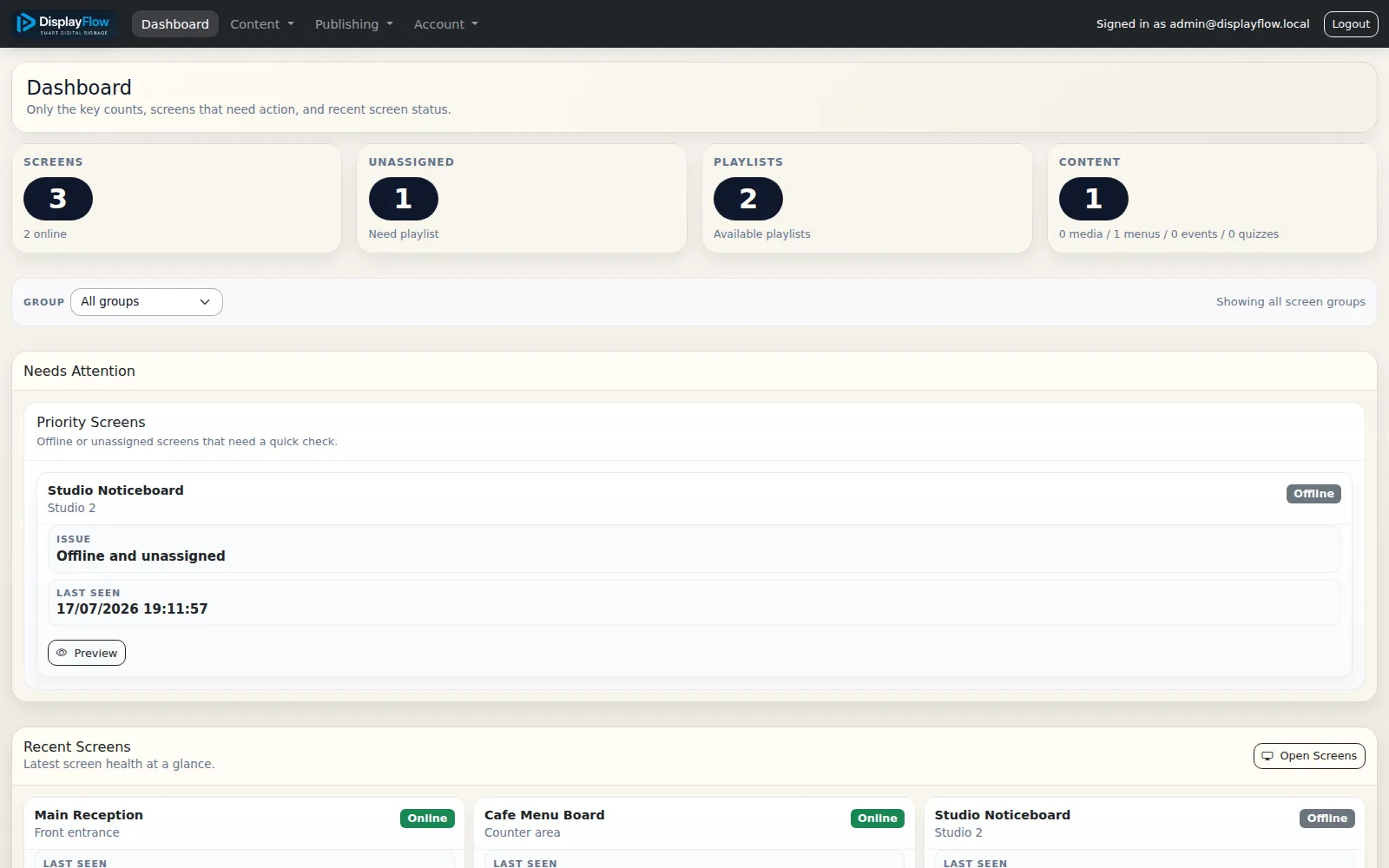
Review online and offline screens, playlist counts and displays that need attention from the dashboard.
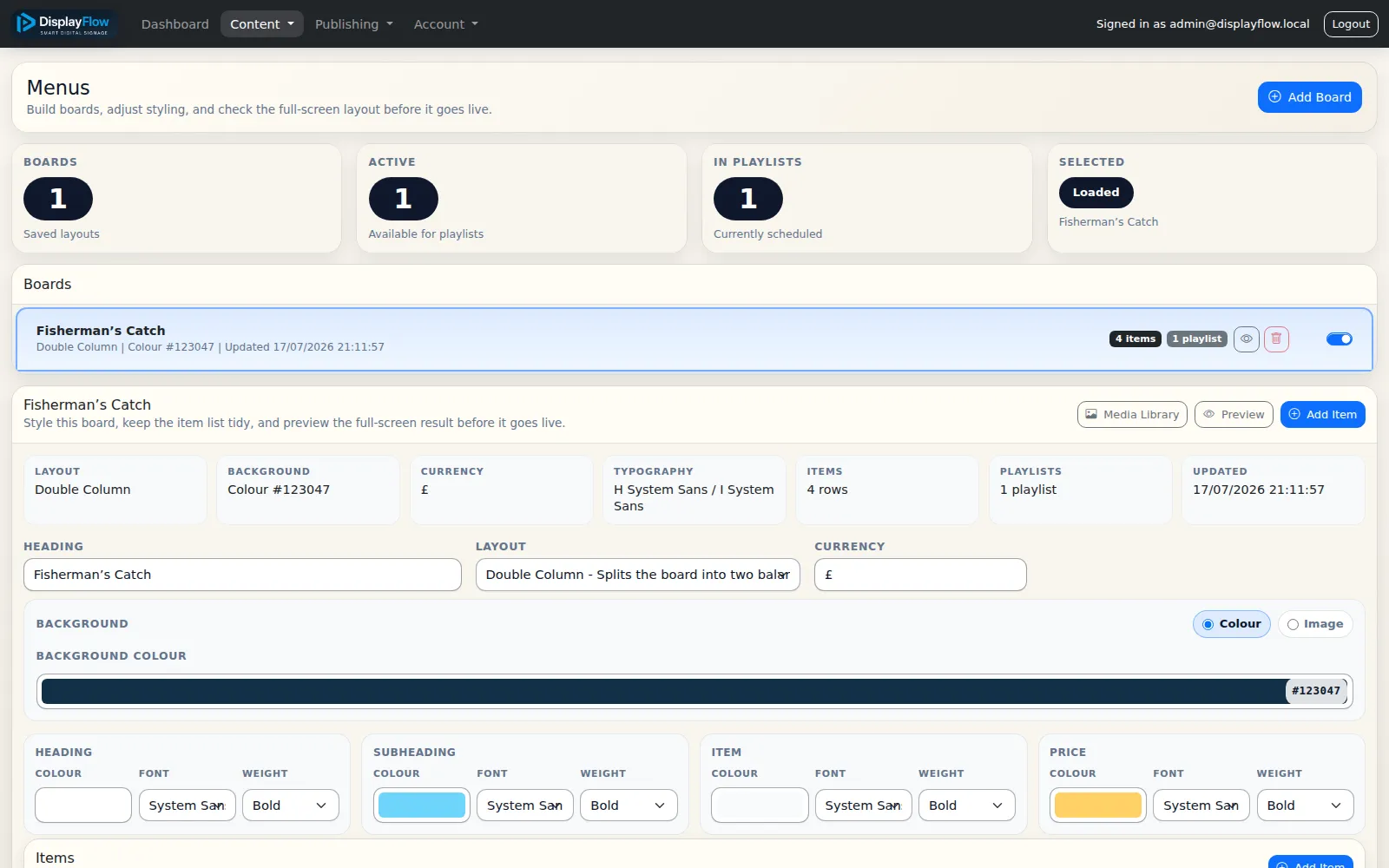
Manage layouts, colours, typography, items and prices before previewing and adding the board to a playlist.
Next page
Once the feature set is clear, the next questions are usually price and how quickly the system can be rolled out.